AI · Parametric · Precise

Describe it.
ArgilCAD models it.

Turn plain-language prompts into real, editable parametric 3D models — generated by AI, built on a true CAD kernel, and viewable in real time. From idea to manufacturable part in seconds.

Free to start · Nothing to install · Runs in Chrome, Edge & Safari

3D
real CAD geometry
3+
export formats
∞
editable parameters
3
platforms · macOS, Windows, web
What you get

A CAD studio that speaks your language

Not a toy mesh generator — ArgilCAD produces watertight, parametric solids you can keep editing, measure, and manufacture.

Prompt to parametric solid

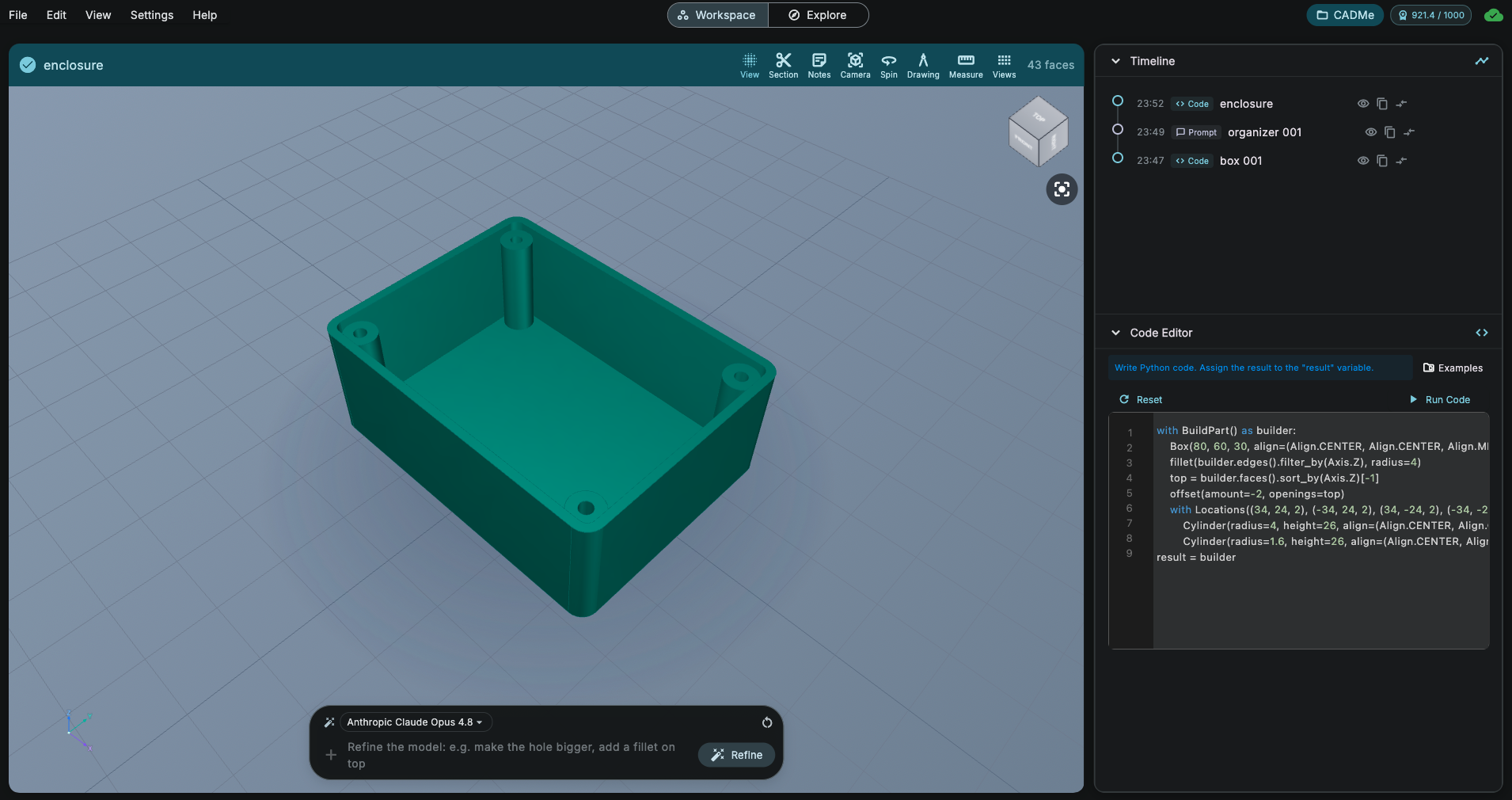
Describe a bracket, gear, enclosure or fastener in words. ArgilCAD generates clean build123d code and a precise 3D solid — then lets you refine it conversationally.

natural languagebuild123d kernelconversational refine

Real-time 3D viewer

Orbit, zoom and inspect every model live in a Three.js viewer the moment it’s generated.

Built-in code editor

Drop into the generated CAD code anytime. Tweak parameters by hand and re-run — full control, no black box.

Export anywhere

STEP, STL, GLB and 3MF out of the box — ready for CAM, slicers and engineering tools.

Technical drawings

Generate dimensioned 2D drawings from your model for documentation and production.

Choose your AI

Multiple LLM providers supported — pick the model that fits the job.

Ready for your 3D printer

Laid on your printer’s bed, spread over as many plates as it takes, parts too big cut to fit with printed pins, walls and holes checked against your nozzle — then opened in your slicer. Free.

Printed it? Now put it together

An assembly booklet for every multi-part print: every part numbered, its plate named, every pin joint shown. Print it, or save it as a PDF.
How it works

Three steps from words to part

01

Describe

Type what you need — “a 60mm mounting plate with four M5 holes and rounded corners.”

02

Generate & refine

ArgilCAD builds a parametric solid. Adjust it in plain language or edit the code directly.

03

Export

Download STEP, STL, GLB or 3MF — or a technical drawing — and take it to production.

Pricing

Start free. Upgrade when you scale.

Free

$0 / forever

Everything you need to explore parametric AI CAD.

  • Modelling tools and your own AI
  • Unlimited code editor
  • Unlimited export & drawings
  • 3D print prep & assembly booklet
Start free in your browser

Starter

$5 / month

A bigger monthly allowance for regular hobby work.

  • 200 credits / month
  • From a photo: tool bins and drawer inserts traced on paper, spare parts measured
  • Photoreal renders & 1080p video
  • All free features
  • Cancel anytime
Get Starter

Pro

Most popular
$20 / month

The highest allowance and the best AI models for serious work.

  • 1,000 credits / month
  • Flagship AI models
  • 4K renders & video
  • Priority support
Go Pro
Get started

Bring AI to your CAD workflow today

Download ArgilCAD for your desktop, or open it in your browser, and start designing in minutes.

macOS: Apple Silicon only (M1 or later) — Intel Macs are not supported yet; support is planned for a future release. Windows 10/11 64-bit.
Release notes · Windows may show a SmartScreen prompt — click More info → Run anyway. The web app runs in a desktop browser such as Chrome, Edge or Safari. On a phone or tablet it shows the models you keep on your devices; generating and editing need a computer.